
By Scott Gieseler · Published · Updated
If your AC will not start, begin with the safe checks below. A settings issue, power problem, or equipment fault may be involved. Stop using the system if there is a burning smell, visible damage, water near electrical parts, or repeated failed starts. Stay clear of unsafe equipment; do not open panels or reset breakers to force it to run. For smoke or fire, leave the area and call emergency services.
At Tegridy Air, we get calls every day from homeowners who thought they had a major problem, but just needed a quick fix. Here’s what to check first.
1. Check the Thermostat
It sounds obvious, but the thermostat is the first thing to verify. Make sure:
- It’s set to COOL, not HEAT or FAN only
- The temperature is set lower than the current room temperature
- The batteries aren’t dead (if it’s a battery-powered thermostat)
- The display is on and responsive
A blank or unresponsive thermostat can reflect dead batteries, a power or control problem, or a safety shutdown. It does not identify the failed part on its own.
2. Check the Circuit Breaker
The indoor and outdoor units may use separate circuits. If you can safely view a dry, undamaged electrical panel, note whether the breaker labeled AC, HVAC, or Air Handler has tripped. Do not remove the panel cover or touch wiring. If a breaker has tripped, leave the system off and arrange service rather than repeatedly resetting it.
Important: If the breaker trips again immediately or repeatedly, don’t keep resetting it. That’s a sign of an electrical issue that needs a technician.
3. Check the Air Filter
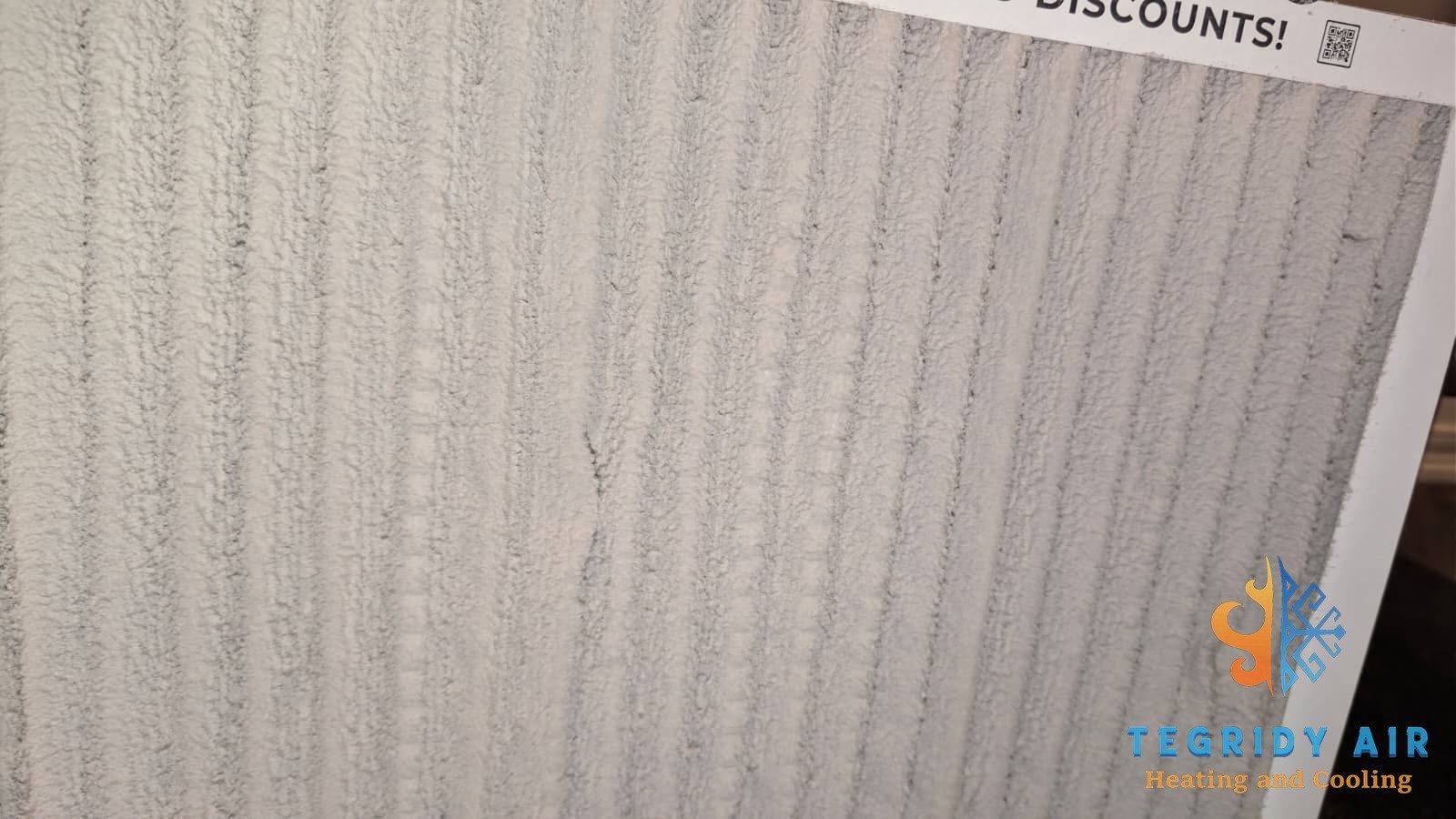
A severely clogged air filter can restrict airflow and contribute to a frozen coil. With the system off, inspect an accessible filter and replace it with the specified size and type if it is dirty. If you see ice, leave cooling off and arrange service; changing the filter alone may not resolve the cause.
During South Louisiana’s long cooling season, check the filter monthly and follow the filter and equipment manufacturers’ replacement instructions. Dust, pets, filter type, and operating time affect how quickly it needs attention.
4. Check the Drain Line
Some AC systems have a float switch that shuts off part or all of the system when condensate backs up. Not every installation has this protection. Possible signs of a drain problem include:
- Water pooling around your indoor air handler
- A musty smell coming from the vents
- The system turns on briefly then shuts off
If you see standing water or an overflowing pan, turn cooling off and call for service. Do not bypass a float switch or pour cleaner into an unidentified pipe. Ask a technician to show you any manufacturer-approved drain maintenance for your installation.
5. Check the Outdoor Unit
Go outside and look at the condenser unit. Is the fan spinning? Is it making any unusual noises — clicking, buzzing, or humming without starting? Also check:
- The disconnect box near the outdoor unit — observe it from outside only; leave opening or operating it to a technician
- Whether any debris (leaves, dirt, sticks) is blocking the unit
- Whether you can see ice on an exposed line or coil — turn cooling off and arrange service if you do
If the outdoor unit is silent and the fan is not moving, note whether the thermostat is calling for cooling. A control delay, lost power, or a component fault may be involved; silence alone is not a diagnosis.
6. Check for a Startup Delay
Some thermostats and systems have a protective delay after power returns or settings change. Follow the model’s instructions and allow that delay to finish. Do not use repeated breaker resets to clear a fault. If the system still will not start, record any error message and arrange service.
When to Stop Troubleshooting and Call a Pro
You’ve checked everything above and it still won’t turn on — or something doesn’t look right. Stop troubleshooting and call Tegridy Air if:
- The breaker keeps tripping
- You smell burning or see scorch marks near the unit
- There’s ice on the refrigerant lines
- The outdoor unit is buzzing but not starting
- The system still will not start after the safe checks above
The cause, repair cost, and time needed depend on diagnosis. If you smell burning or see scorch marks, stay clear of the equipment and stop using it. If there is smoke or fire, leave the area and call emergency services.
💡 Pro tip: If your system is over 10 years old and having repeated issues, it may be more cost-effective to replace it than keep repairing it. Ask us about our free replacement estimates.
Tegridy Air Has You Covered
We service AC systems throughout Kenner, Metairie, New Orleans, and the surrounding areas. Whether it’s a quick repair or a full replacement, we’ll come out, diagnose the problem, and give you a straight answer — no upselling, no runaround.
AC not turning on? Call us now.
📞 Call (504) 414-8655Serving Kenner, Metairie, New Orleans & surrounding areas
Check the Two Power Switches People Forget
An indoor service switch or an outdoor disconnect can interrupt power to the equipment. Their locations and designs vary. You can note their condition without opening electrical enclosures.
The indoor service switch may look like a light switch near the air handler or furnace. Check only a clearly identified switch that is safely accessible. Do not enter a hot attic, follow wiring, or reach into an equipment compartment to find one.
The outdoor disconnect is often a box near the condenser. Leave its cover and any pull-out block alone. A technician can check it safely if a power problem is suspected.
Run through these three things:
- Whether a clearly labeled, safely accessible indoor service switch appears to be off
- Whether the outdoor disconnect enclosure shows visible damage, without opening or handling it
- Whether there is visible water near the indoor unit, without touching plugs, wiring, or safety controls
Do not open the disconnect box, reseat a pull-out block, or remove equipment panels. Electrical components can be hazardous even after power is turned off.
What the Sound Your AC Makes Tells You
Sounds can help a technician, but they do not prove which part has failed. Report sounds you have already noticed from a safe distance; do not repeatedly start the system to reproduce a noise.
- Humming or buzzing, fan not spinning. A capacitor, motor, or another electrical problem may be involved. Turn cooling off and arrange service.
- One click, then silence. A control delay, power problem, or component fault may be involved.
- Clicking over and over every few seconds. Repeated failed starts need diagnosis. Do not keep cycling the system.
- Grinding or screeching. A motor or another moving part may need attention. Shut cooling off at the thermostat.
- Rattling or clanking. Report the sound; do not reach through the grille to inspect the fan.
- No sound at all. Check the thermostat display and note any delay or error message. Silence does not prove the unit has lost power.
If you hear buzzing, clicking, or grinding, stop cycling the system. Repeated failed starts need professional diagnosis. Turn it off and call us at (504) 414-8655.
Common Questions
Why is my AC humming but not turning on?
A hum without fan movement can result from a capacitor or motor fault, among other problems. Turn cooling off and have the system checked. Do not open the cabinet, push the fan, or handle a capacitor; it can retain a hazardous charge after power is off.
Where is the indoor power switch for my AC?
A service switch may be near the air handler or furnace, which can be in a closet, garage, or attic. Check only a clearly labeled, safely accessible switch. Do not trace wiring or enter an unsafe space to locate it.
How often should I change my AC filter in South Louisiana?
Check it monthly during heavy use and follow the filter and equipment manufacturers’ instructions. Replace a dirty filter with the specified size and type. A light-through-the-filter test is not reliable for every filter design.